
Dynamics 365 Email Resolution: When “Automatic” Isn’t Automatic
In Microsoft Dynamics 365, email resolution usually works automatically.
The setting “Set CC/BCC fields as unresolved” = Yes can help by exposing unclear data so users can manually clean up unresolved or duplicate records — but it can also confuse users.
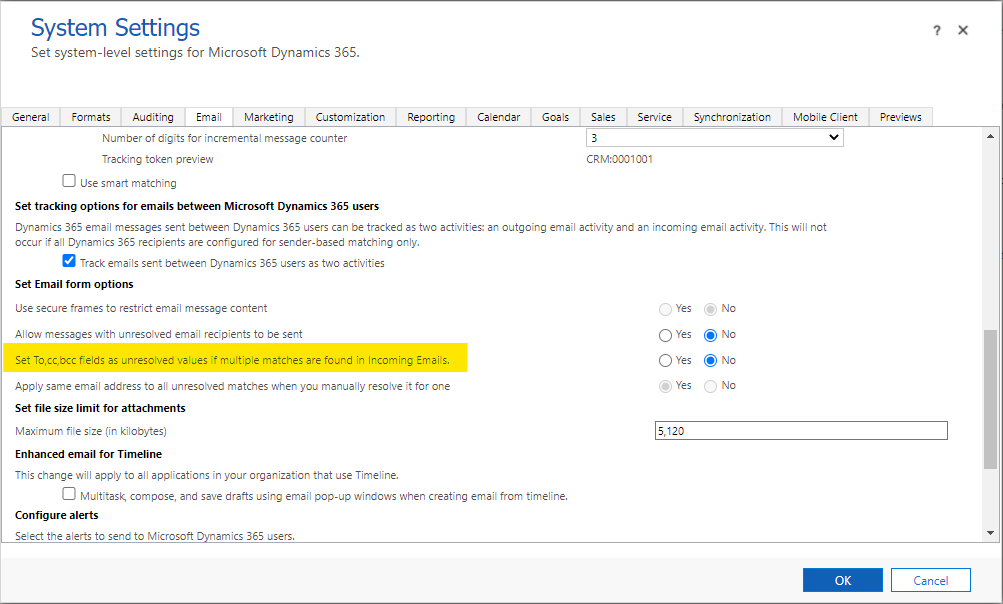
A common symptom is shown in the screenshot: only one selectable email appears in the resolve dialog, even though the address exists multiple times in the system. This often leads users to ask why the email was not resolved automatically.

The Usual Cause: Duplicate Email Entries
A quick (and undocumented) Web API check often reveals the real issue. The same email address can exist multiple times in the internal emailsearches table.
Request
/api/data/v9.2/emailsearches?$filter=emailaddress eq 'info@domain.com'
Full example response
{
  "@odata.context": "https://DOMAIN.crm.dynamics.com/api/data/v9.2/$metadata#emailsearches",
  "value": [
    {
      "@odata.etag": "W/\"18472770\"",
      "emailsearchid": "69d0259f-9e24-ef11-840a-002248f31a6a",
      "_parentobjectid_value": "4253e898-9e24-ef11-840a-002248f31a6a",
      "emailaddress": "info@DOMAIN.com"
    },
    {
      "@odata.etag": "W/\"29061044\"",
      "emailsearchid": "6ad0259f-9e24-ef11-840a-002248f31a6a",
      "_parentobjectid_value": "4253e898-9e24-ef11-840a-002248f31a6a",
      "emailaddress": "info@domain.com"
    }
  ]
}
Even differences like uppercase vs. lowercase are stored as separate entries. When Dynamics detects ambiguity, automatic resolution may stop and the UI may show only a single option.
Note:
_parentobjectid_valuetells you that a related record exists, but you still need to identify it across multiple tables (Contact, Account, User, Queue, etc.).
Takeaway
If email resolution behaves strangely:
- Check the emailsearches table via Web API
- Identify and clean up duplicate email addresses
- Use “Set CC/BCC fields as unresolved” only as a temporary workaround
Clean data = reliable email resolution.